


解决Unable to access 'https://gitee.com/自己的项目/': Could not resolve host: gitee.com问题


昨天公司的网络更换,然后在使用git操作代码的时候,遇见了标题所述问题。
仅以此文,记录该问题的解决过程。
首先第一步:
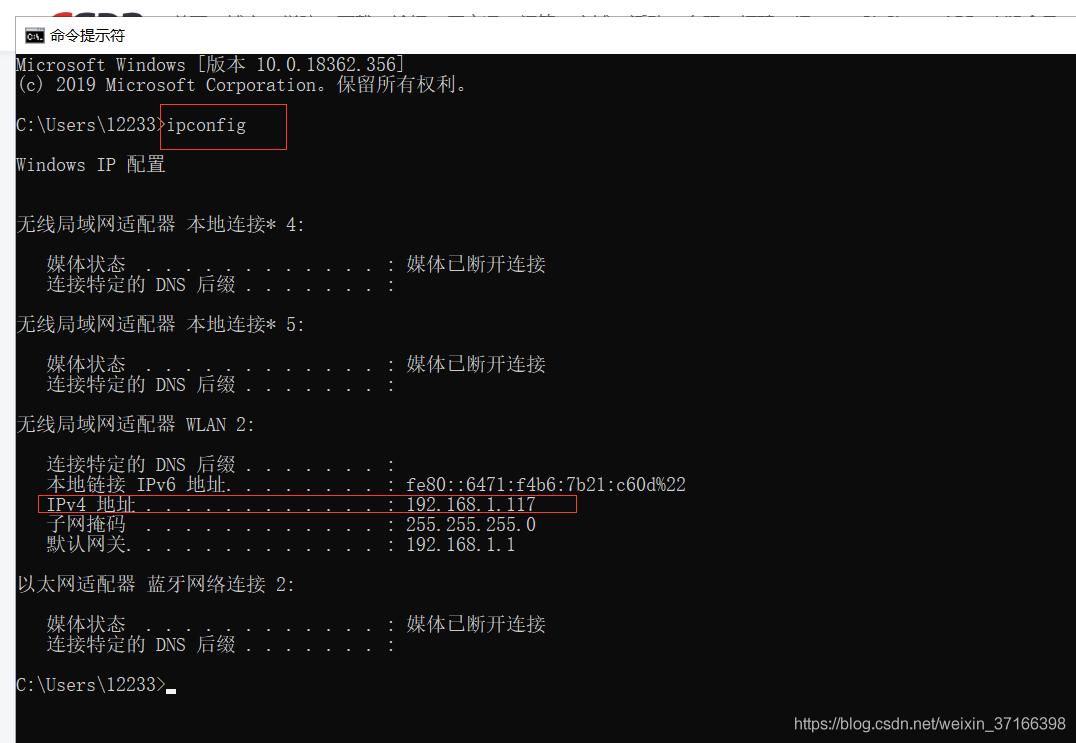
得到本机的IP地址。
第二步:ping一下
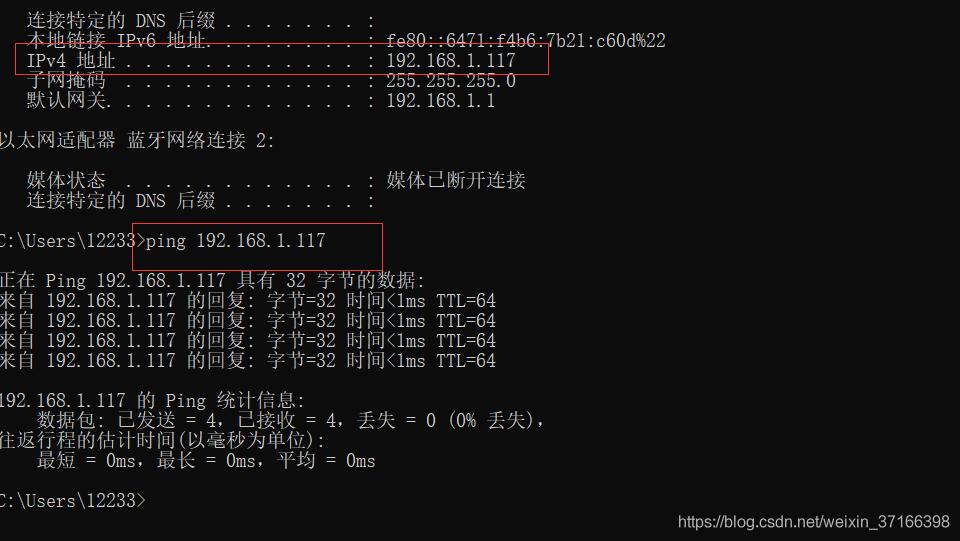
说明连接正常。
第三步:
找到git目录下的 hosts文件。
一般目录为 C:\Program Files\Git\etc
# Copyright (c) 1993-2009 Microsoft Corp.
#
# This is a sample HOSTS file used by Microsoft TCP/IP for Windows.
#
# This file contains the mappings of IP addresses to host names. Each
# entry should be kept on an individual line. The IP address should
# be placed in the first column followed by the corresponding host name.
# The IP address and the host name should be separated by at least one
# space.
#
# Additionally, comments (such as these) may be inserted on individual
# lines or following the machine name denoted by a '#' symbol.
#
# For example:
#
# 102.54.94.97 rhino.acme.com # source server
# 38.25.63.10 x.acme.com # x client host
# localhost name resolution is handled within DNS itself.
# 127.0.0.1 localhost
# ::1 localhost
在该文件下 添加 192.168.1.117 github.com
此处的IP 替换为自己的IP即可
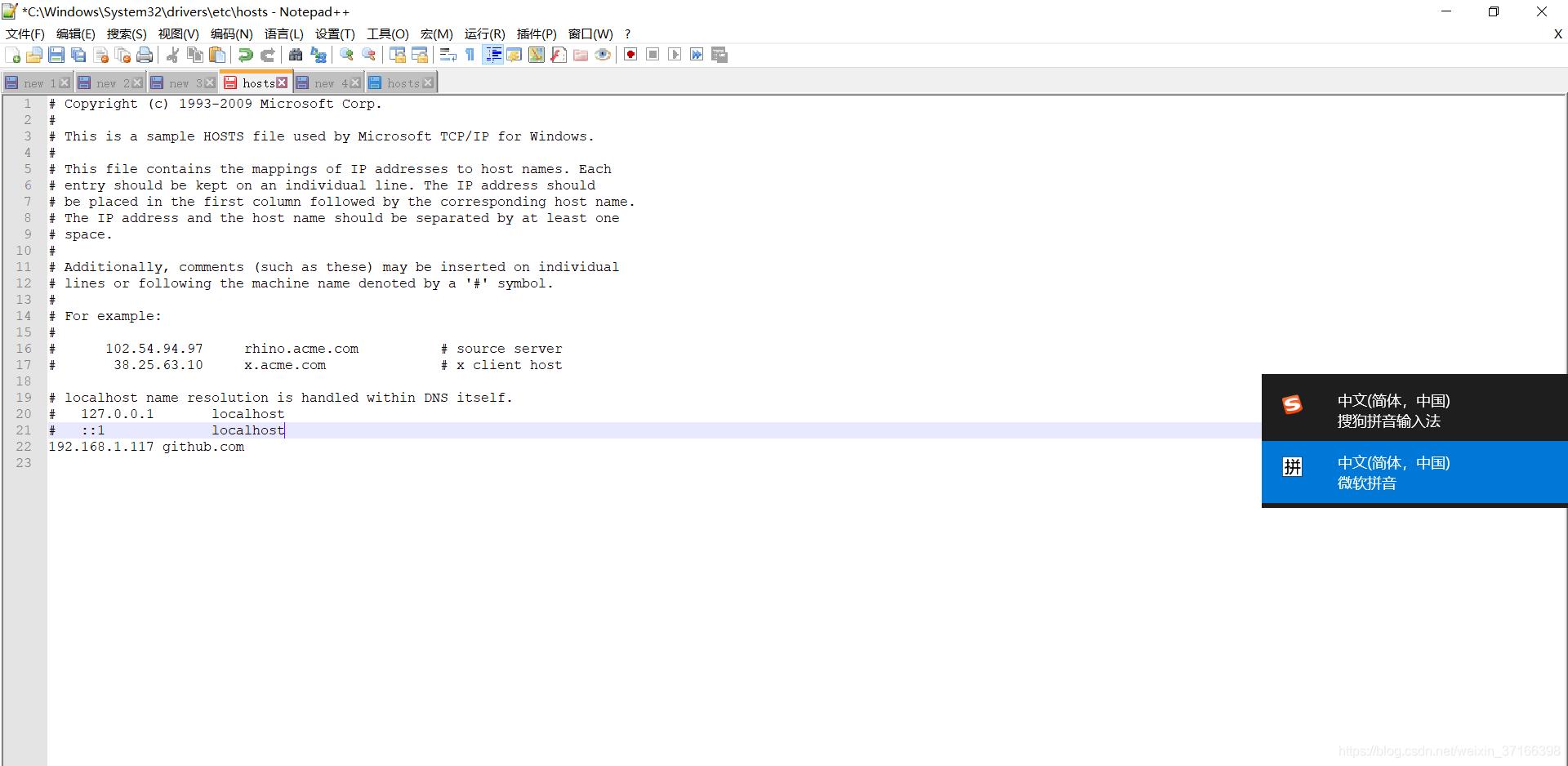
修改之后 如上图所示。
总结
栏 目:
下一篇:易语言打开文件件网页的方法
本文标题:解决Unable to access 'https://gitee.com/自己的项目/': Could not resolve host: gitee.com问题
本文地址:http://www.codeinn.net/misctech/102750.html

