


微信小程序实战之顶部导航栏(选项卡)(1)
时间:2020-10-05 21:34:21|栏目:JavaScript代码|点击: 次


本文实例为大家分享了微信小程序顶部导航栏的具体代码,供大家参考,具体内容如下
需求:顶部导航栏
效果图:
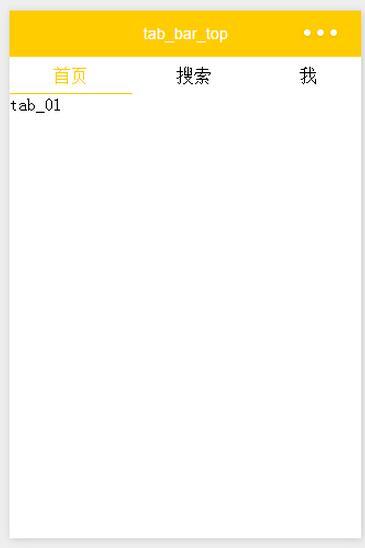
wxml:
<!--导航条-->
<view class="navbar">
 <text wx:for="{{navbar}}" data-idx="{{index}}" class="item {{currentTab==index ? 'active' : ''}}" wx:key="unique" bindtap="navbarTap">{{item}}</text>
</view>

<!--首页-->
<view hidden="{{currentTab!==0}}">
 tab_01
</view>

<!--搜索-->
<view hidden="{{currentTab!==1}}">
 tab_02
</view>

<!--我-->
<view hidden="{{currentTab!==2}}">
 tab_03
</view>
wxss:
page{
 display: flex;
 flex-direction: column;
 height: 100%;
}
.navbar{
 flex: none;
 display: flex;
 background: #fff;
}
.navbar .item{
 position: relative;
 flex: auto;
 text-align: center;
 line-height: 80rpx;
}
.navbar .item.active{
 color: #FFCC00;
}
.navbar .item.active:after{
 content: "";
 display: block;
 position: absolute;
 bottom: 0;
 left: 0;
 right: 0;
 height: 4rpx;
 background: #FFCC00;
}
js:
var app = getApp()
Page({
 data: {
 navbar: ['首页', '搜索', '我'],
 currentTab: 0
 },
 navbarTap: function(e){
 this.setData({
 currentTab: e.currentTarget.dataset.idx
 })
 }
})
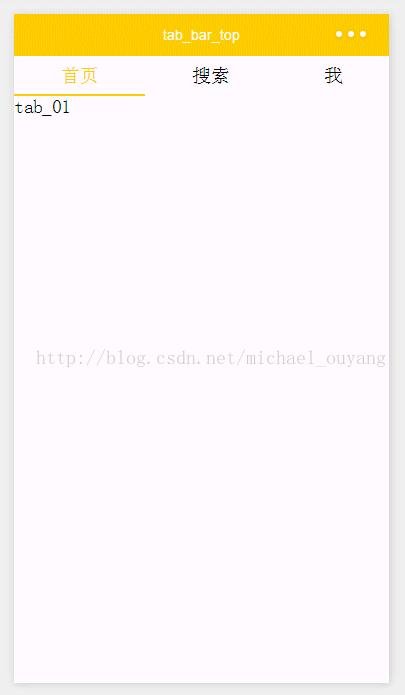
运行:
如果大家还想深入学习,可以点击两个精彩的专题:javascript选项卡操作方法汇总 jquery选项卡操作方法汇总
为大家推荐现在关注度比较高的微信小程序教程一篇:《微信小程序开发教程》小编为大家精心整理的,希望喜欢。
上一篇:in.js 一个轻量级的JavaScript颗粒化模块加载和依赖关系管理解决方案
栏 目:JavaScript代码
本文地址:http://www.codeinn.net/misctech/7300.html

